


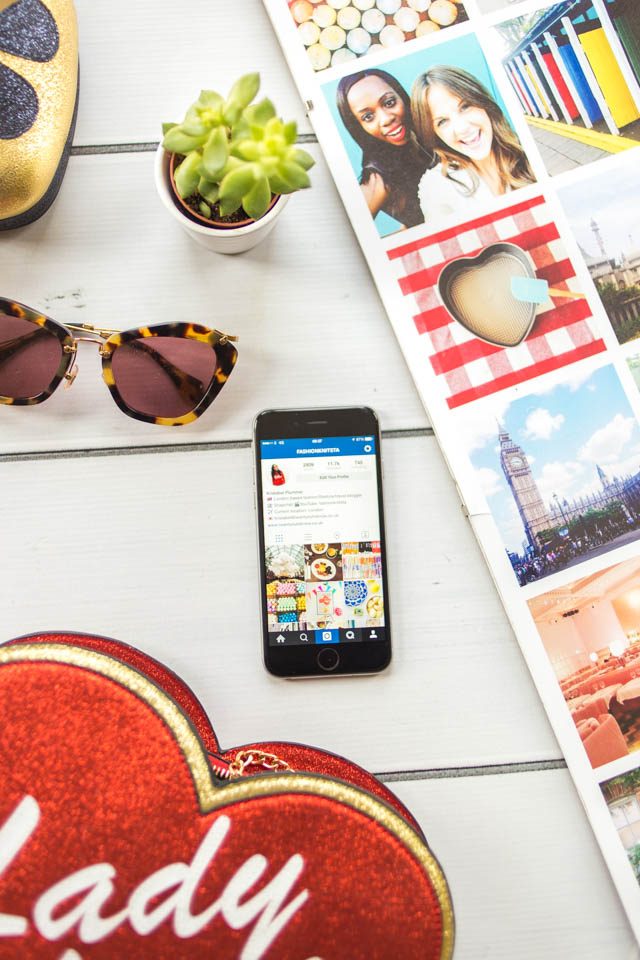

Do we really need another post about Instagram? For starters I have a pretty dysfunctional relationship with the app. In some ways it’s positive, I’ve made friendships, gained an insight into some of my favourite brands and even made the decision to change my hair for the better. However, I constantly find myself wishing to see a pretty pastel bike attached to the gate of a ridiculously priced house or the perfect flower stall that I can take a #fwis shot with. I think thrice before posting a selfie (apparently people prefer a full #ootd rather than my face, no offence taken) and I haven’t eaten a piping hot restaurant meal in years. Sometimes the Instagram culture undoes all of the hard work that blogs set out to do, play the game and rewards will be reaped. Despite our differences, it has made me see the word through a more curated eye, plus it’s now a calling card of sorts. I finally hit the big 10k a few months ago and even though my growth has been slower than a lot of bloggers (3 years is the magic number), I’ve definitely picked up some tips along the way. Sharing is caring after all!

My Editing Process
Snapseed – I pretty much just use this for the life-changing Selective Adjust feature. Add the little ‘+’ signs to the areas that need a little enhancement and you can change the brightness, contrast or saturation to your heart’s content. This is perfect when the sky is a bit washed out, or your face is slightly in shadow (bane of my life). If you zoom in before playing around, you can pick up on specific colours too. I also retouch the annoying scar on my leg (when I can be bothered) with Spot Repair (Photoshop Express is good for this too). See the bit of extra oomph I added to this image!
Afterlight – If you’re looking for subtle, then you’ve come to the right place. I tend to tweak the contrast, saturation and sharpness in Afterlight before hopping over to VSCOcam, it’s just a bit of a weird habit I have. There are a few nice filters though (I’m rather tempted by the Wander pack) and you can even create your own presets for editing, which you can save and use again. I may seem a little nostalgic, but in the only-squares-allowed days of Instagram it was pretty nifty for adding on a border.
VSCOcam – This is probably the one that everyone bleats on about, but it arranges all of your photos in a handy grid so you can plan your feed a little. I’ve spent more on their filters than I care to admit (why is it I balk at £2.29 but have probably wasted more money on The Sims Freeplay) but it’s worth it for the clean, Kinfolk-y effect you can get. My faves are probably M6 & S2, plus a hint of extra saturation. You can’t save presets like Afterlight, but you can copy and paste the editing style of your images.
Pro HDR – Have you ever been in a situation of extreme contrast and frustration? You need Pro HDR in your life. Even though you do have to stand still like a lemon for longer than needed, the app takes two photos and fuses them together so it’s almost as accurate as real life (behold this snap I took in Edinburgh). Sometimes the images can come out a little over-saturated, but you can always amend this in post-production. It sounds like I’m taking this way too seriously, doesn’t it…
SKRWT – A fairly recent discovery, this app is for when you want the perfect symmetrical shot of a shelves or front-on view of a building but the iPhone camera has other ideas. Forget distortion, SKRWT is worth having a play around with and sorting out any perspective issues, I still have a lot to figure out but it worked wonders with this Margate shelf situation.
Koredoko – The recent Instagram update has probably done away with the need for this, but this is handy if you’re obsessed with geotagging but need to eventually leave these places. It’s probably best for creating your own custom location to direct people to your Snapchat or blog (instead of your house, which I almost did), just choose somewhere random on the map and save with the new metadata.
Sorry if this is so Apple-centric, I’m sure you can get a lot of these on Android too!


Really helpful posts, Kristabel. I haven't used Snapseed for a while actually but I reckon I'll redownload it and give it another go. I love it, not that my photos are that good or varied but I enjoy the community side of things.
Buckets & Spades
Great tips lovely and you have a beautiful Instagram feed <3 xx
http://www.lurchhoundloves.com
Amazing post and photos as always ! 🙂 Great tips 🙂
my blog : THE COLORFUL THOUGHTS
I always love your posts and these tips are super helpful! x
basicallyzaynab.blogspot.co.uk
Very useful! My Instragram relationship is progressing step by step, as I see it. Luckily, it will go better thanks to you tips! 🙂
Thanks for the great tips xo
http://www.kinikunormal.blogspot.com/